
Free manga reader for Android
Your manga, manhwa and manhua. Read your way.
Abyss Reader turns the comics on your phone into a tidy library. Add your own files and read each series in the mode that suits it.
Features
Everything a reader needs, nothing in the way
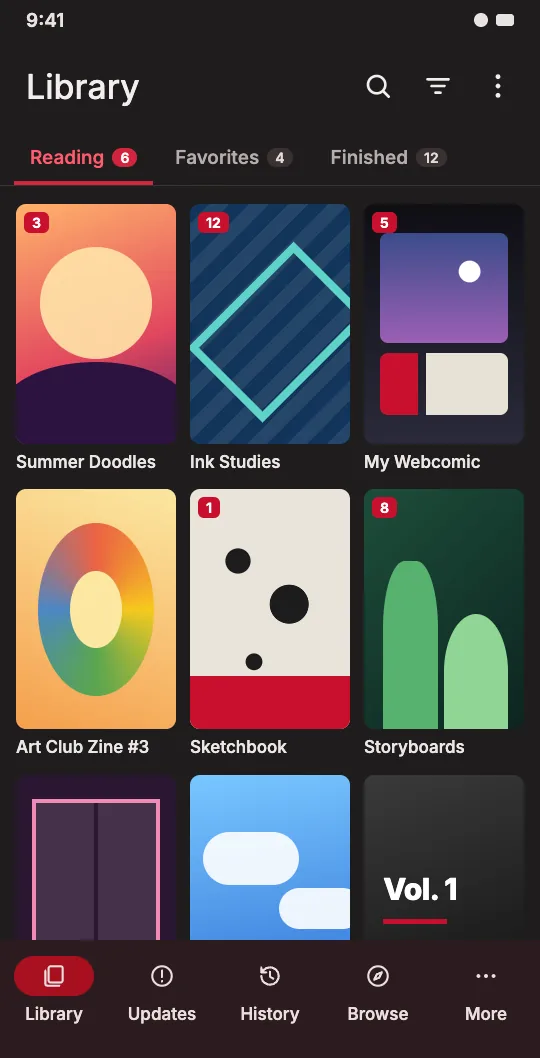
Put your comics in one folder and Abyss Reader turns them into a library with covers, chapters and your reading progress.
Your comics, your library
Add your own manga, manhwa and manhua as image folders, CBZ, CBR or EPUB files. Abyss Reader shows them with their covers and chapters.
Read your way
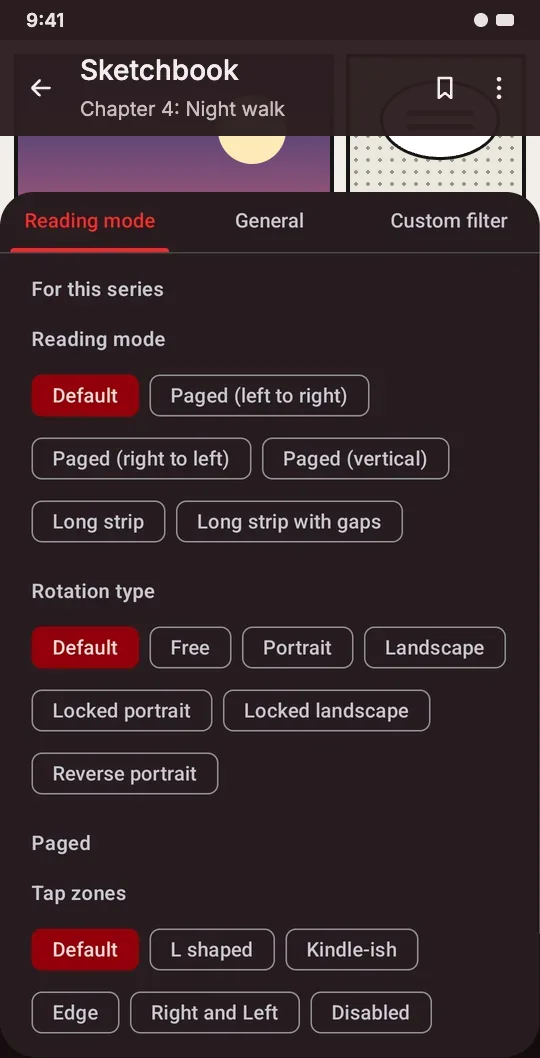
Paged left to right or right to left, vertical paging or long strip for webtoons. Set it once per series.
Comfort controls
Crop white borders, split double pages, tune brightness and colors, double-tap to zoom and turn pages with the volume keys.
History and stats
Sort your library into categories, pick up exactly where you stopped and see how much you have read over time.
Themes for every mood
Light and dark modes plus several color themes, including the frog-filled Nature theme.
Private by design
Lock the app with your fingerprint, read in incognito mode and back up your library to a file you keep.
Reading
Built for webtoons and right-to-left manga alike
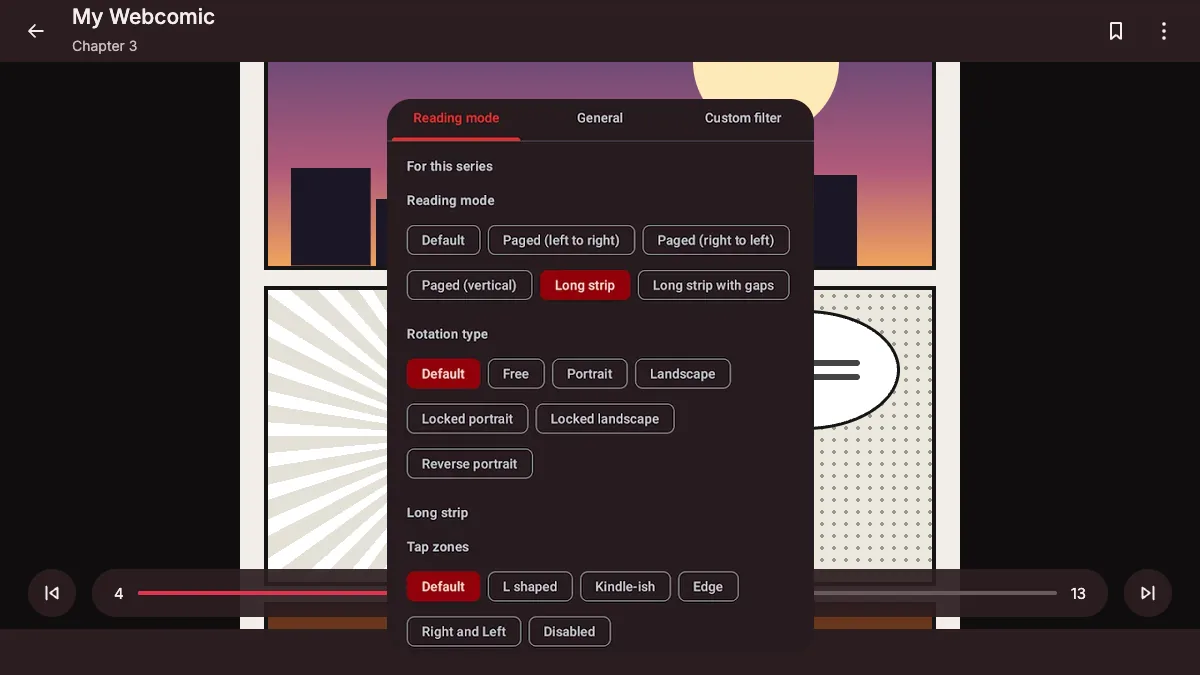
Long strip is made for manhwa and manhua marathons; paged right to left reads manga the way it was drawn. Pick a mode for each series, lock the rotation and choose the tap zones that feel natural.
- Paged (left to right)
- Paged (right to left)
- Paged (vertical)
- Long strip
- Long strip with gaps
Your files
Bring your own comics
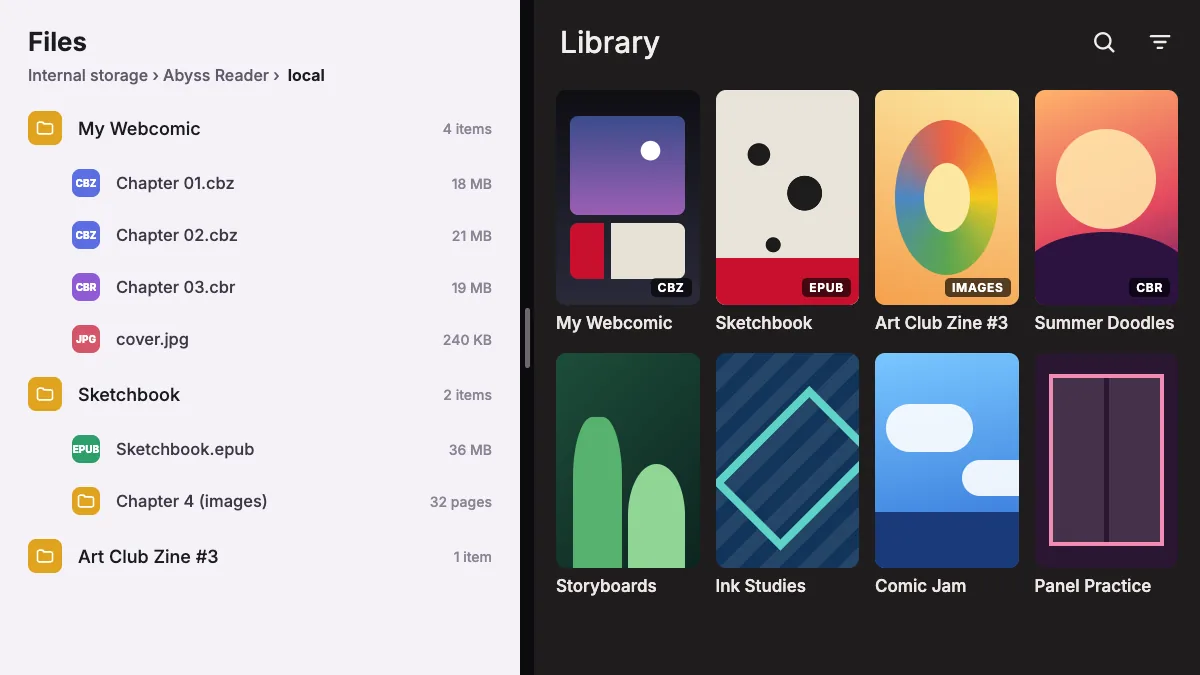
Copy your comics into the Abyss Reader/local folder on your phone, one folder per series. They show up in the app with their covers and chapters, ready to read anywhere, no signal needed.
- Image folders
- CBZ / ZIP
- CBR / RAR
- EPUB
Go ad-free
Become a Contributor
Abyss Reader is made by a small team and kept free by ads. Supporting the project makes you a Contributor, and Contributors read without ads.
- Support us on Ko-fi. Any amount helps keep the servers running.
- Join our Discord and claim your Contributor status.
- Enjoy Abyss Reader without ads.

FAQ
Common questions
Is Abyss Reader free?
Yes. The app is free to download and use. Ads keep it running, and Contributors can read without them.
Which devices does it run on?
Android phones and tablets running Android 8.0 or newer.
How do I add my comics?
Copy them into the Abyss Reader/local folder on your phone, one folder per series. Each chapter can be a folder of images or a CBZ, ZIP, CBR, RAR or EPUB file. Put a cover.jpg next to the chapters to choose the cover.
Where do I report a bug or suggest a feature?
Our Discord server. Every report there is read and tracked for the next version of the app.
Does Abyss Reader come with comics?
No. Abyss Reader is a reader: it does not host or sell comics, and you read the files you add yourself. Copyright holders can find how to reach us in our legal disclaimer.
Still stuck? Ask on Discord or email [email protected].
Ready to dive in?
Download Abyss Reader for free and start your library today.
Get it free on Google Play